From SystemVerilog to a programmed board, in a browser tab.
Jacquard compiles your testbench with Icarus Verilog, synthesizes your design with yosys and nextpnr, and writes the bitstream to an iCE40 board over USB. The toolchain runs on the server. You bring a browser and a cable.
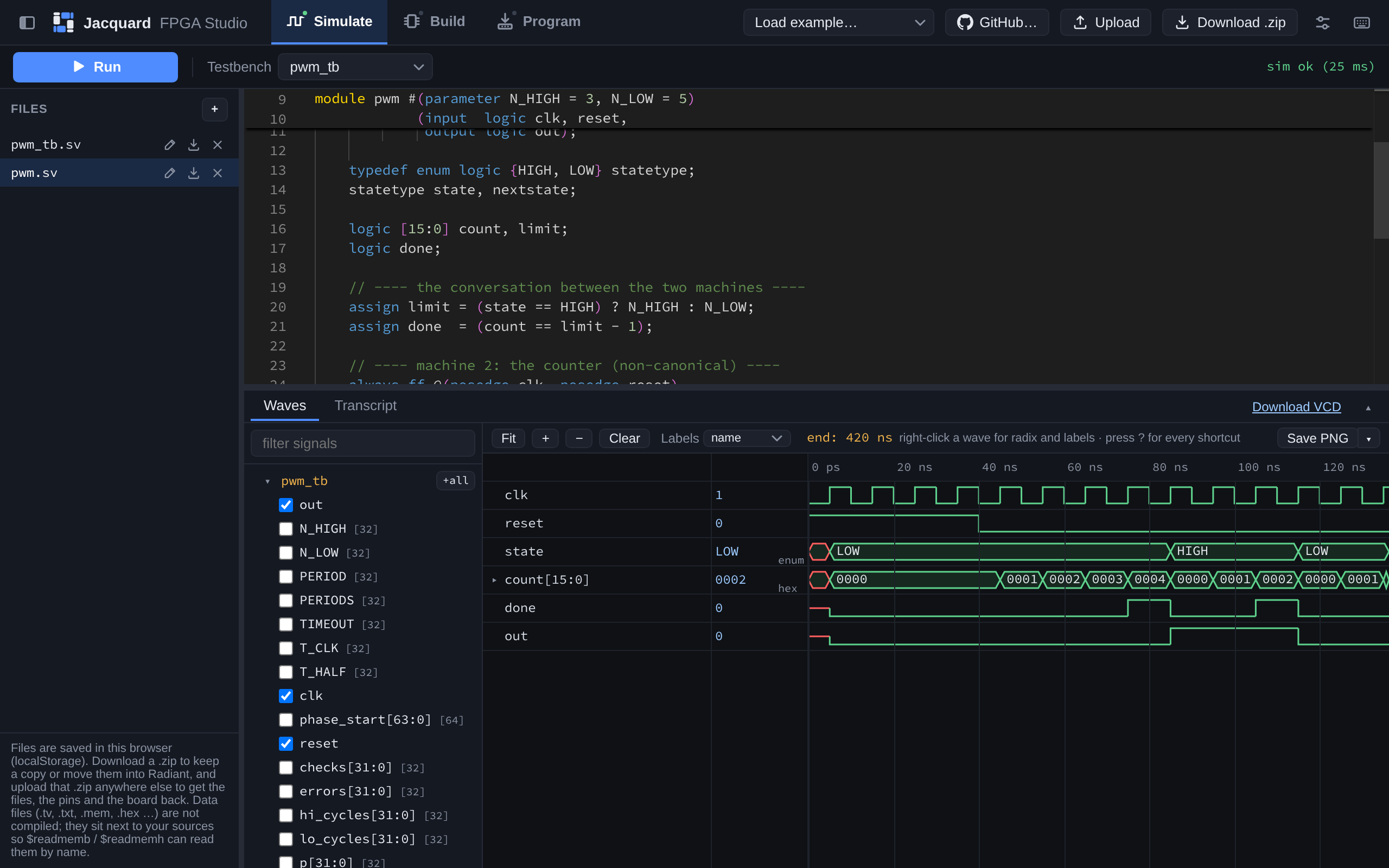
Three stages over the same files
Simulate, Build and Program are separate screens, not tabs of one panel — different questions about your design, with different inputs and different answers. The workspace and the file list are shared, because the files are.
-
Simulate
Compile a testbench and read the result as waves.
$displayoutput, compiler errors and the PASSED/FAILED line go to the transcript, and afile:linein an error is a link back into the editor. -
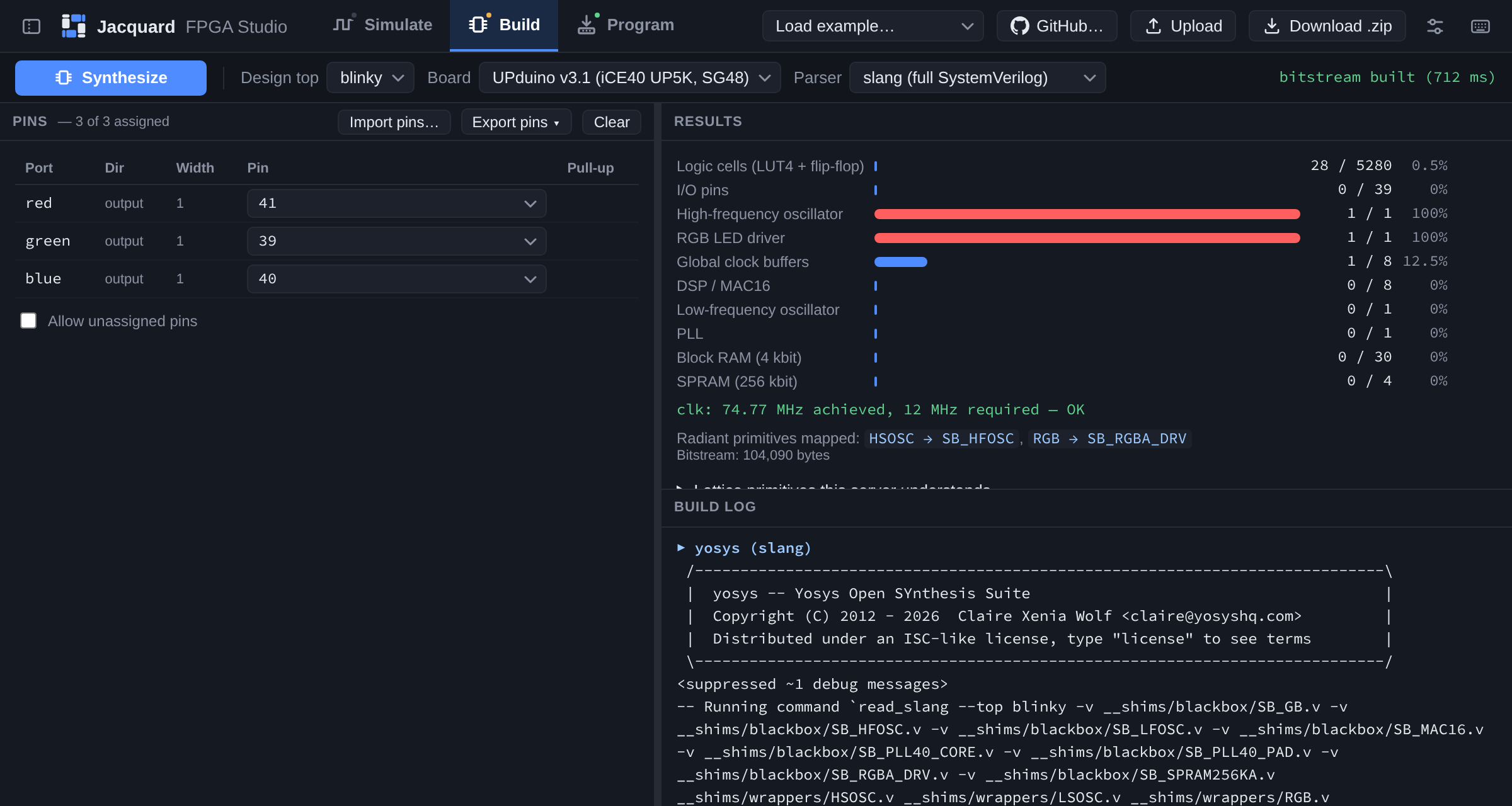
Build
Assign pins in a table built from your module's own ports, then synthesize. You get a
.bin, the logic cells it used, the Fmax nextpnr reported, and the log those numbers came from. -
Program
Write the bitstream to the board's flash over WebUSB — no driver to install, no vendor programmer. The design stays on the board when you unplug it.
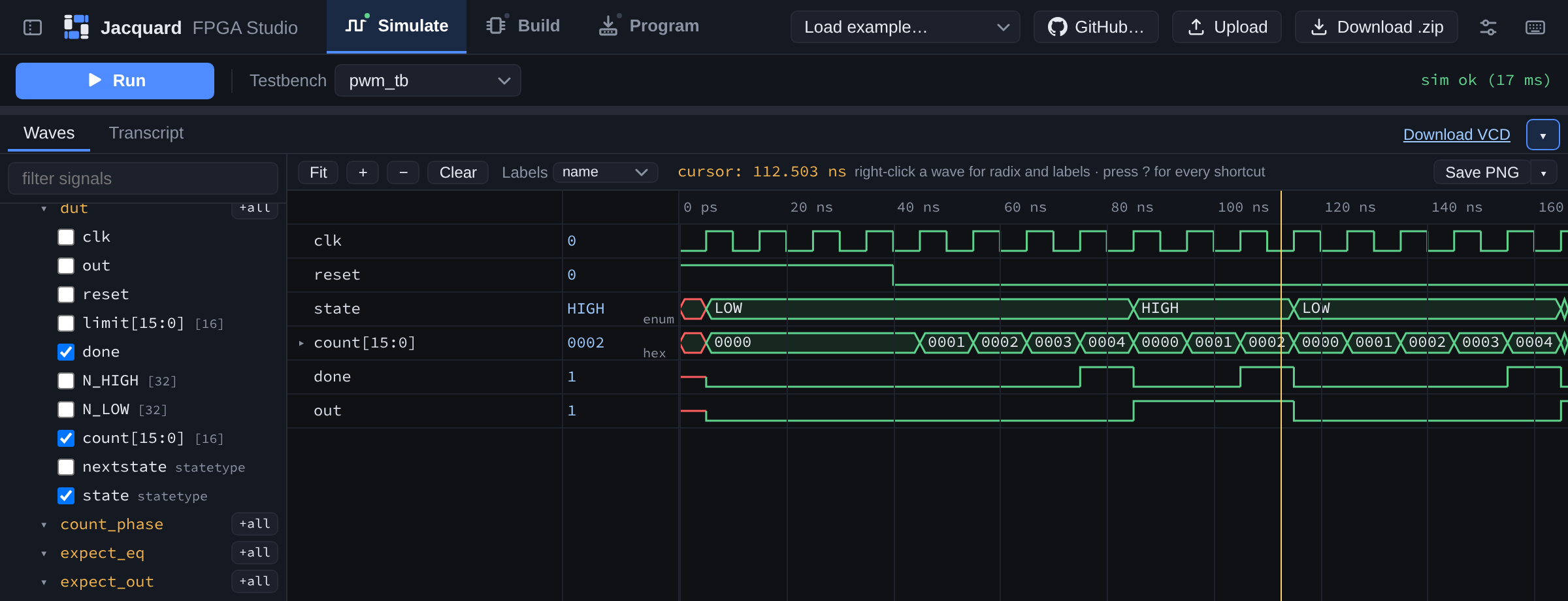
Waves that use your names
A VCD carries no type information, so most viewers show a typedef enum as
0 and 1. Jacquard reads the names out of your source and
labels the waveform HIGH / LOW / S2, the way a
desktop simulator does. Click the value column to get the raw encoding back.
- Unfold a bus into one row per bit, and fold it away again.
- Per-signal radix: hex, binary, decimal, signed, ASCII.
- Drag signals into the order you want to read them in.
- Drag the time axis to zoom to a span; the whole instance tree is in the sidebar.
Save PNGexports the rows on screen, captioned, for a lab report.
Pins in a table, not in a text file
The pin table is your top module's ports, one row each, with the board's pin numbers in a dropdown. A bus takes one row and expands. Conflicts are marked as you make them, and a port with no pin fails the build rather than being placed somewhere you did not mean.
- Import a Radiant
.pdcor an icestorm.pcf; export either back. - The pins travel in the
.zipwith your sources. - Lattice primitives —
HSOSC,RGB,SB_SPRAM256KA— are handled, and the server lists which ones it knows.
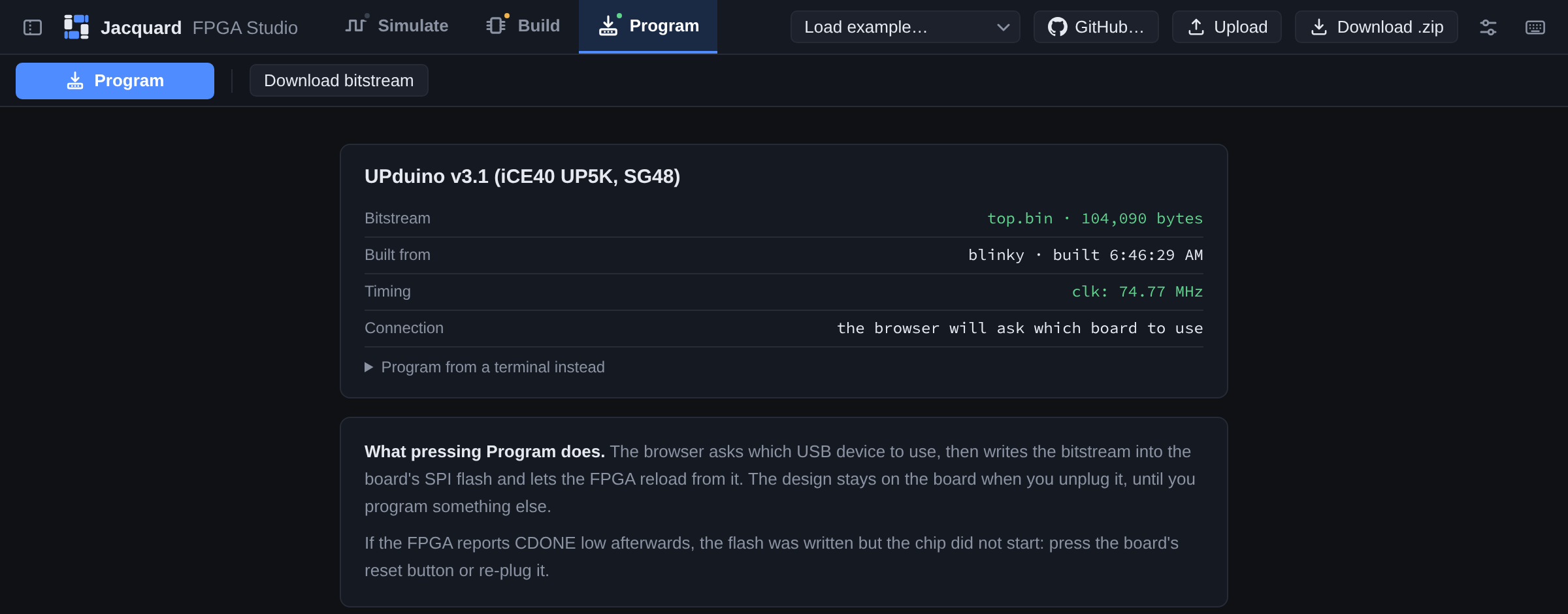
One cable, no vendor programmer
Program writes the bitstream into the board's SPI flash over WebUSB. The browser asks which device to use; nothing is installed and no driver is signed. If your browser has no WebUSB, the screen hands you the one-line command to do it from a terminal instead.
- The design stays on the board when you unplug it.
- What was built, from which module, and at what clock, before you write it.
- Or download the
.binand program it however you already do.
Also true
- Your files stay in your browser. Download a
.zipthat carries the pin assignments with the sources; upload it anywhere else to get all of it back. - Open a lab from GitHub. Paste a repository URL, or link your account and pick a folder, pinned to the commit it was at.
- Test vectors work. Upload a
.tvor.membeside your sources and$readmembfinds it by name. - Examples to start from. A seven-segment decoder, a PWM state machine, a keypad model, a board blinky that simulates and synthesizes and programs.
- Vim keybindings, if you want them, with the mode line under the editor.
- Nothing to install or licence. The same tool on a Mac, a Windows laptop or a Chromebook.